I ran Qwen3.5-9B, a 4-bit quantized model, locally on my MacBook Pro M4 Pro with 24 GB of RAM, pointed a terminal coding agent at it, and asked it to build a checkout page with the Stripe API. It did. No cloud, no API calls to OpenAI, no token costs. Just a model running on my laptop.
Here’s how.
Qwen 3.5
Qwen3.5 is Alibaba’s latest open-weight language model family. The 9B variant sits in a sweet spot: large enough to be genuinely useful for coding tasks, small enough to run on consumer hardware once quantized. It supports a 256K token context window and performs competitively with much larger models on coding benchmarks.
The model is available on HuggingFace in GGUF format, ready for local inference.
Quantization: Fitting a 9B Model in 24 GB
Running a 9B parameter model in full precision (FP16) would require ~18 GB just for the weights, leaving almost nothing for context or the OS on a 24 GB machine. Quantization solves this by reducing the precision of the model weights.
GGUF is the file format used by llama.cpp for quantized models. It packages the model weights, tokenizer, and metadata into a single file optimized for CPU and Apple Silicon inference.
Q4_K_M is the specific quantization scheme I used. Here’s what the name means:
- Q4: weights are stored in 4-bit precision (down from 16-bit)
- K: uses k-quant, an improved quantization method that groups weights into blocks and chooses precision per block based on importance
- M: medium quality variant, balancing size vs. accuracy (there are also S for small and L for large)
In practice, Q4_K_M reduces the model size to roughly 5-6 GB while retaining most of the model’s capability. The quality loss is minimal for code generation tasks.
Unsloth’s Role
Unsloth provides pre-quantized GGUF files on HuggingFace. They handle the quantization process, converting the original model weights to various GGUF formats, so you don’t have to do it yourself. Their quantizations are well-regarded for maintaining quality while being optimized for inference speed.
Setting It Up
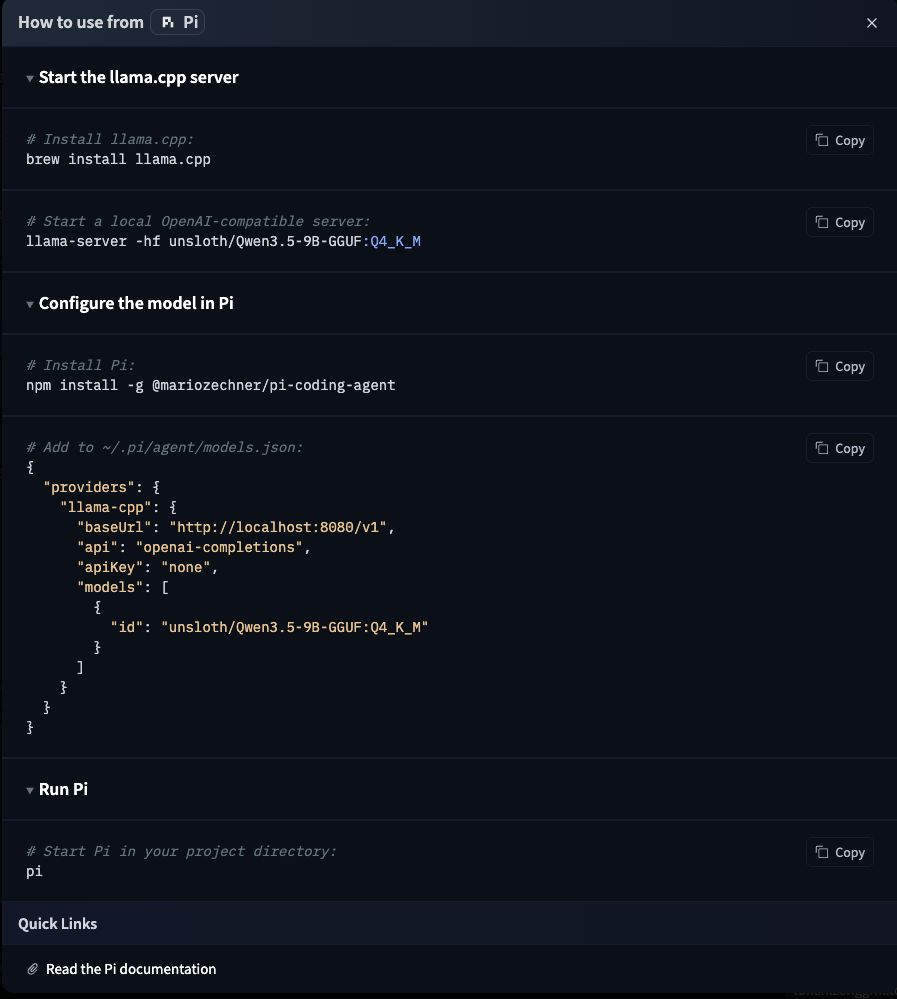
The setup is remarkably simple. The HuggingFace model page has instructions for various tools, including Pi:
Step 1: Start the llama.cpp Server
Install llama.cpp and start a local OpenAI-compatible server:
brew install llama.cpp
llama-server -hf unsloth/Qwen3.5-9B-GGUF:Q4_K_M
This downloads the quantized model from HuggingFace (first run only) and starts a server on localhost:8080 that exposes an OpenAI-compatible API. That’s it, you now have a local LLM API.
Step 2: Configure Pi
Pi is a terminal-based coding agent by Mario Zechner. Think of it as a CLI alternative to IDE-integrated coding assistants. It supports multiple providers and models.
Install it and add the local llama.cpp server as a provider in ~/.pi/agent/models.json:
npm install -g @mariozechner/pi-coding-agent
{
  "providers": {
    "llama-cpp": {
      "baseUrl": "http://localhost:8080/v1",
      "api": "openai-completions",
      "apiKey": "none",
      "models": [
        {
          "id": "unsloth/Qwen3.5-9B-GGUF:Q4_K_M"
        }
      ]
    }
  }
}
Step 3: Switch to the Local Model
Start Pi in your project directory and use /model to switch to the local Qwen model:
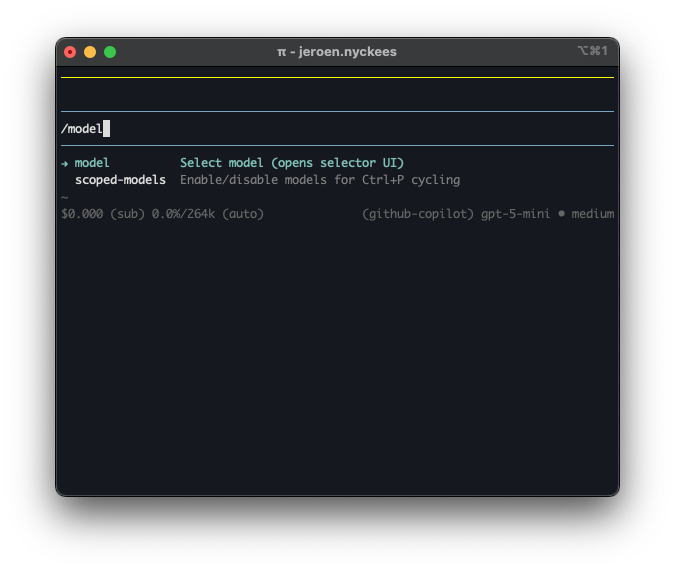
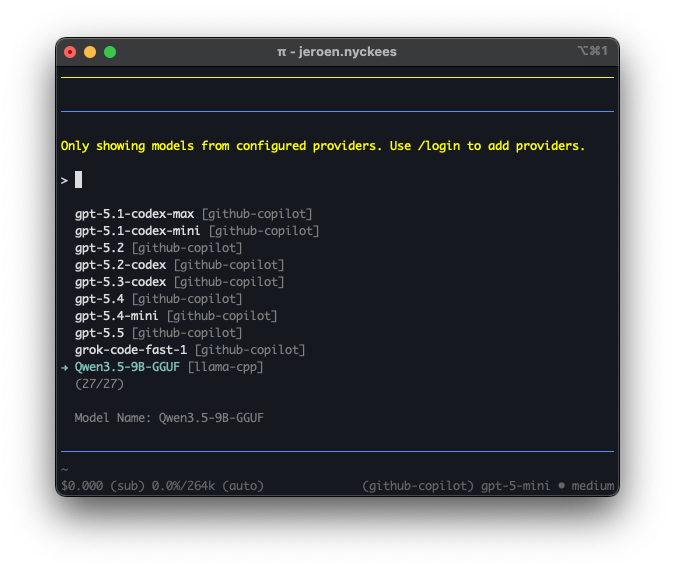
Select Qwen3.5-9B-GGUF from the model list. It shows up under the llama-cpp provider alongside any cloud models you may have configured:
The Result
I asked Pi (now running on local Qwen) to build a mockup checkout page with the Stripe API. I provided my Stripe API key locally and it generated a fully working checkout page, complete with order summary, Google Pay integration, and card payment form:
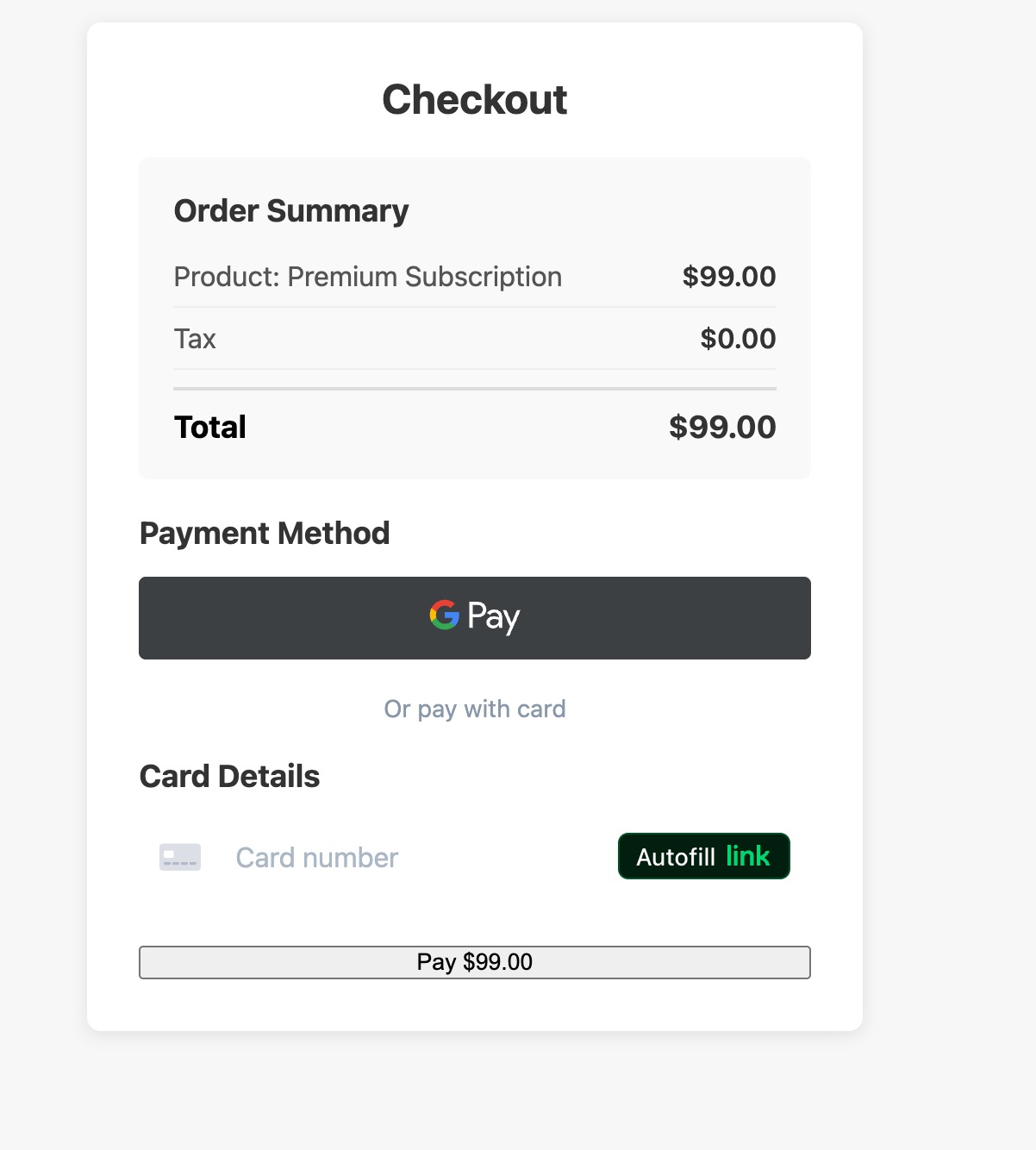
This was done entirely locally. The model never phoned home, no tokens were sent to any cloud API, and my Stripe API key never left my machine.
/Skills
One of Pi’s most interesting features is its skill system. Skills are self-contained capability packages, think of them as plugins that give the agent specialized workflows, scripts, and reference docs for specific tasks. Pi implements the Agent Skills standard, an open spec that works across different agent harnesses.
A skill is just a directory with a SKILL.md file containing frontmatter (name + description) and instructions. You can add helper scripts, reference docs, templates, whatever the agent needs. For example, a brave-search skill might bundle a SKILL.md alongside search.js and content.js scripts.
Pi discovers skills from several locations: ~/.pi/agent/skills/ globally, .pi/skills/ per project, or via CLI flags. At startup, it scans these locations and injects skill descriptions into the system prompt. When a task matches, the agent loads the full SKILL.md on demand. This progressive disclosure keeps the context window lean: only descriptions are always present, full instructions load when needed.
You can also invoke skills directly with /skill:name:
/skill:brave-search "llama.cpp GGUF quantization"
There are community skill repositories available, including Anthropic Skills for document processing and web development, and Pi Skills for web search, browser automation, and Google APIs. Since the standard is open, skills built for Claude Code or OpenAI Codex can be used in Pi too.